Issuing the Policy
- Click Issue Policy Now (or, if needed, send it to the Policy Issuance Team/Update the Binder).
- Click Continue on the Policy Forms page.
- Select Policy - Insured to preview the insured’s copy of the policy >> If everything looks good, close the preview.
- If needed, you can amend the forms >> If the policy looks good, click Commit Policy.
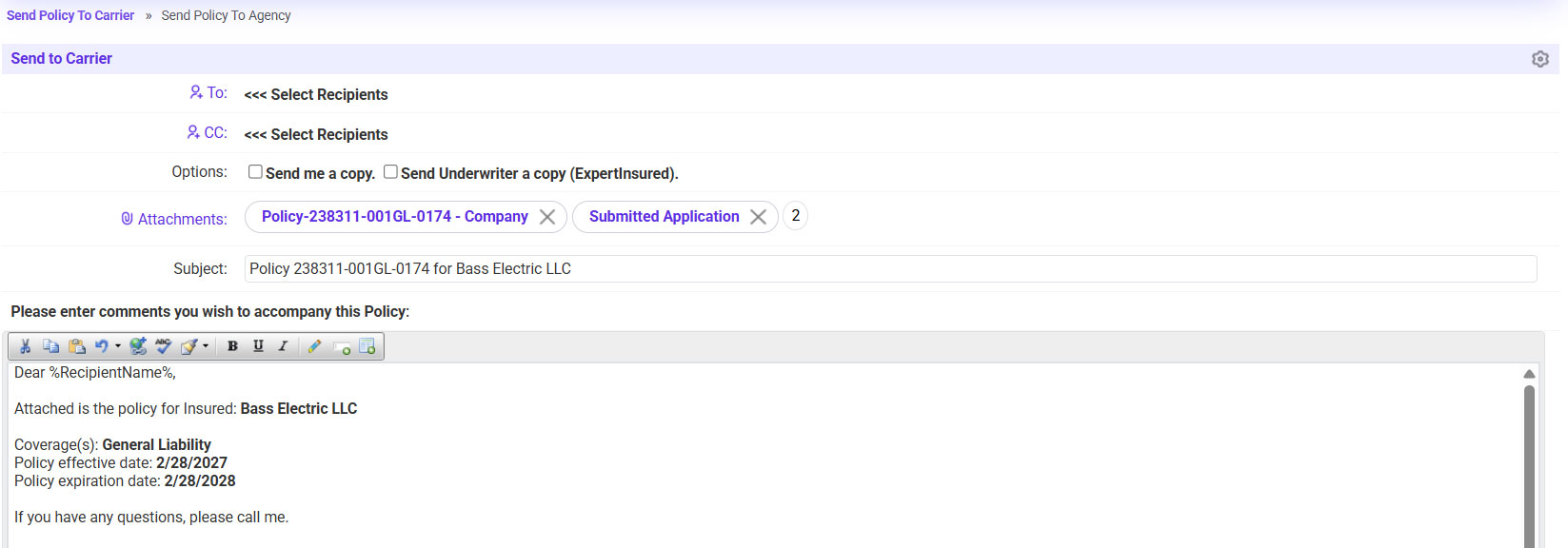
- Send the policy to the carrier.
- To: select the carrier contact email
- If needed, send a copy to yourself or the UW.
- Click Continue to send the email.
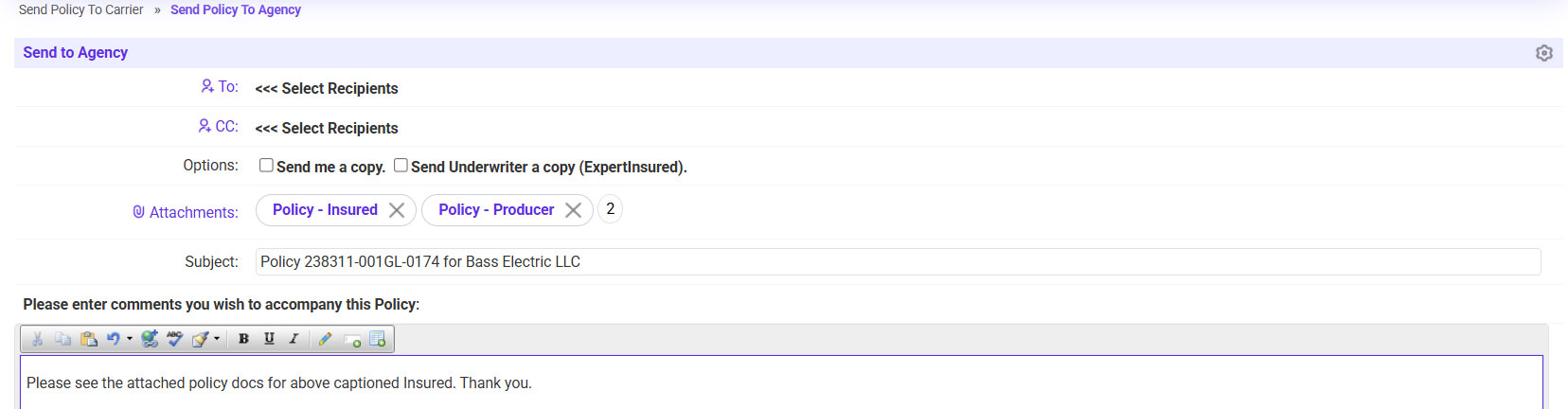
- Send the policy to the agent.
- To: Agency Contact
- If needed, send a copy to yourself or the UW.
- Click Continue.