Binding a Quote
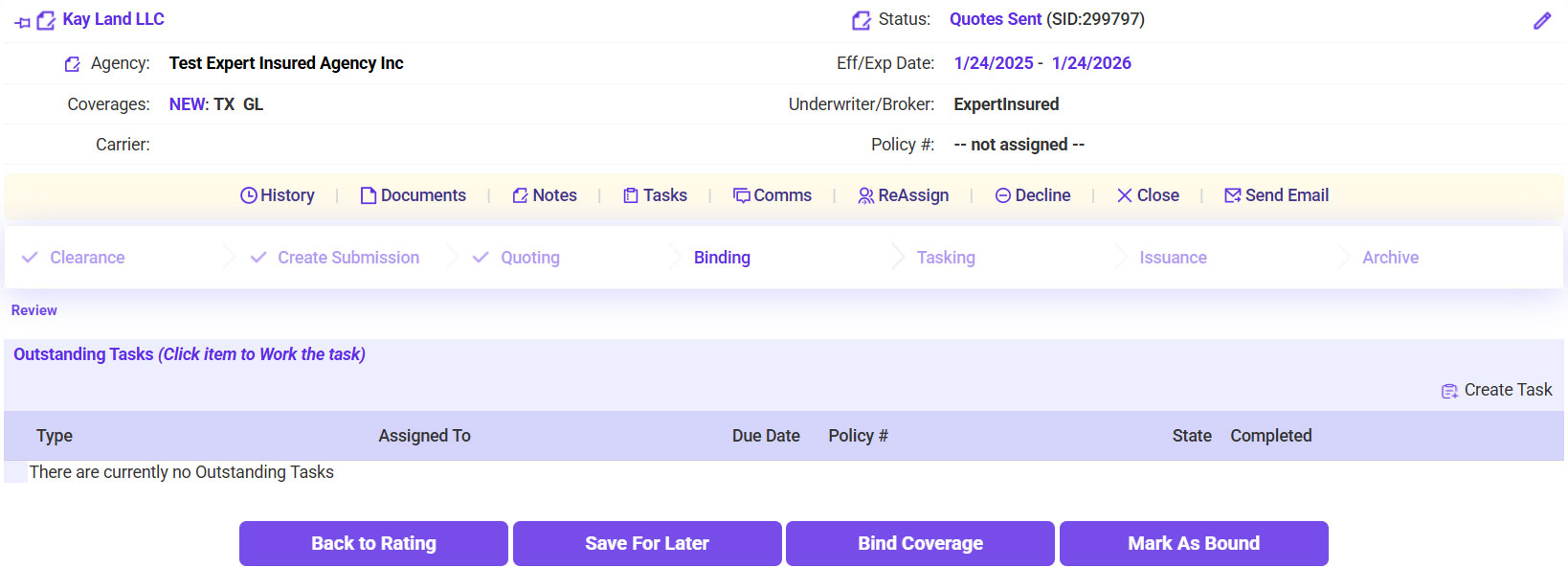
- Once a bind request is received, go to Expert Insured >> Go to the In Process workflow >> Search for the insured >> Select the account.
- Click Bind Coverage.
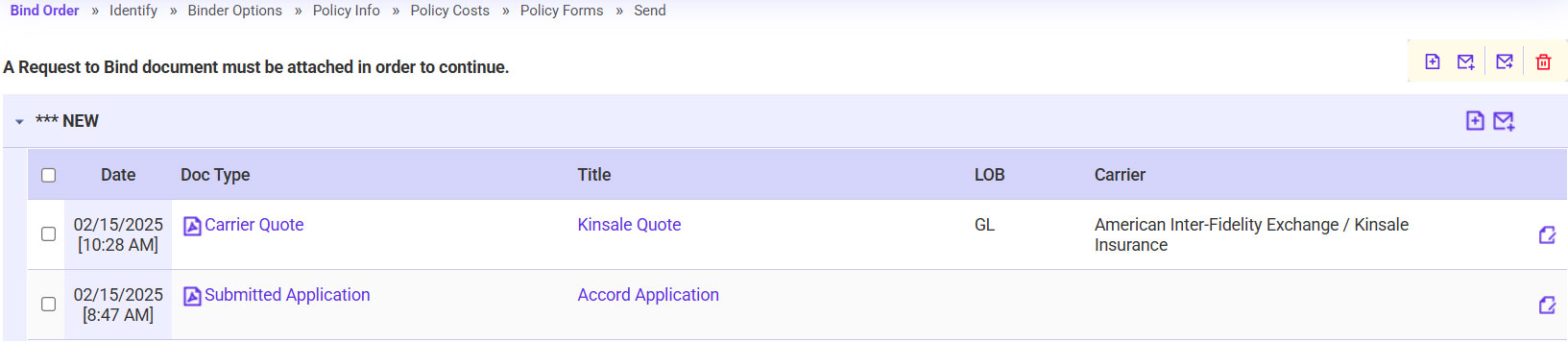
- Attach the Bind Request.
- Click on the plus sign icon.
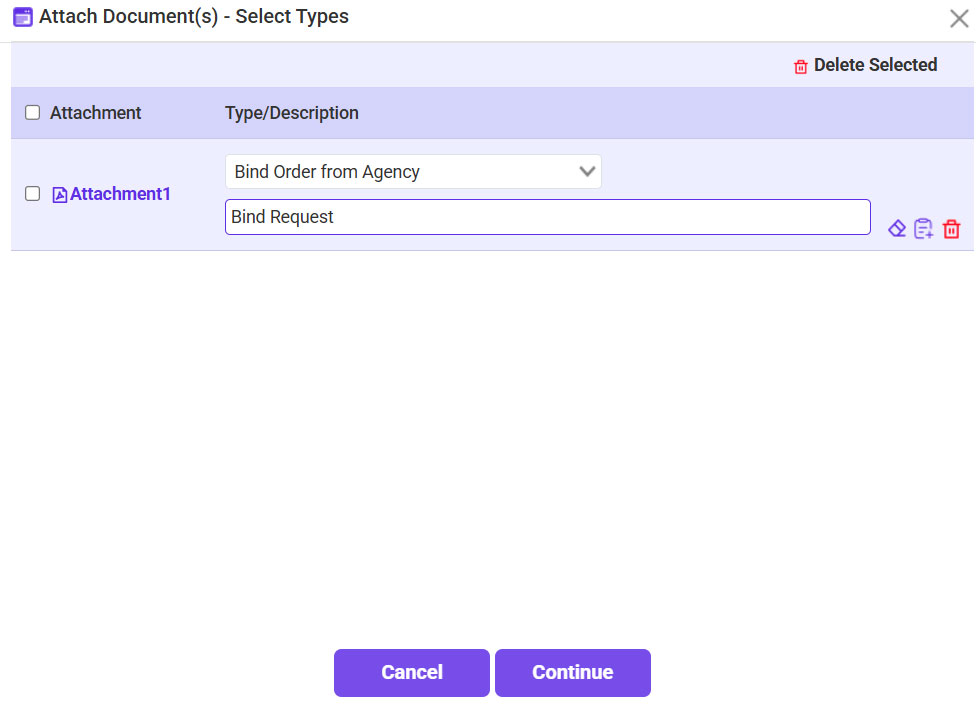
- Click Browse >> Select the Bind Request >> Click Continue.
- For the Type, select Bind Order from Agency >> Click Continue.
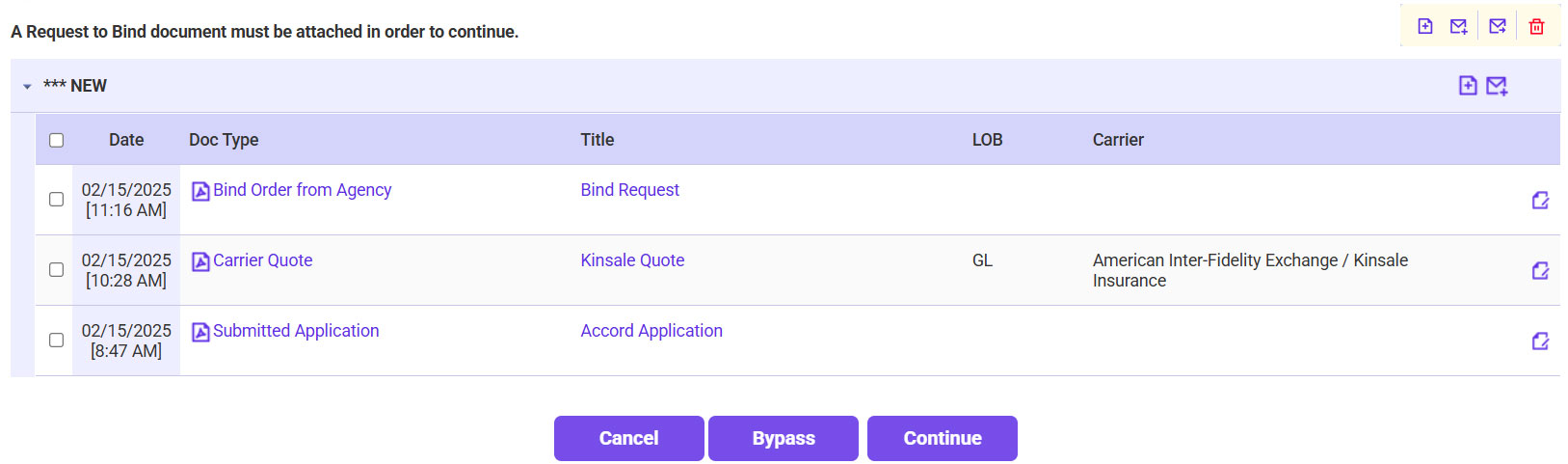
- Once the bind request is attached, click Continue.
- Confirm the applicable quote is selected >> Click Continue.
- Click Continue.
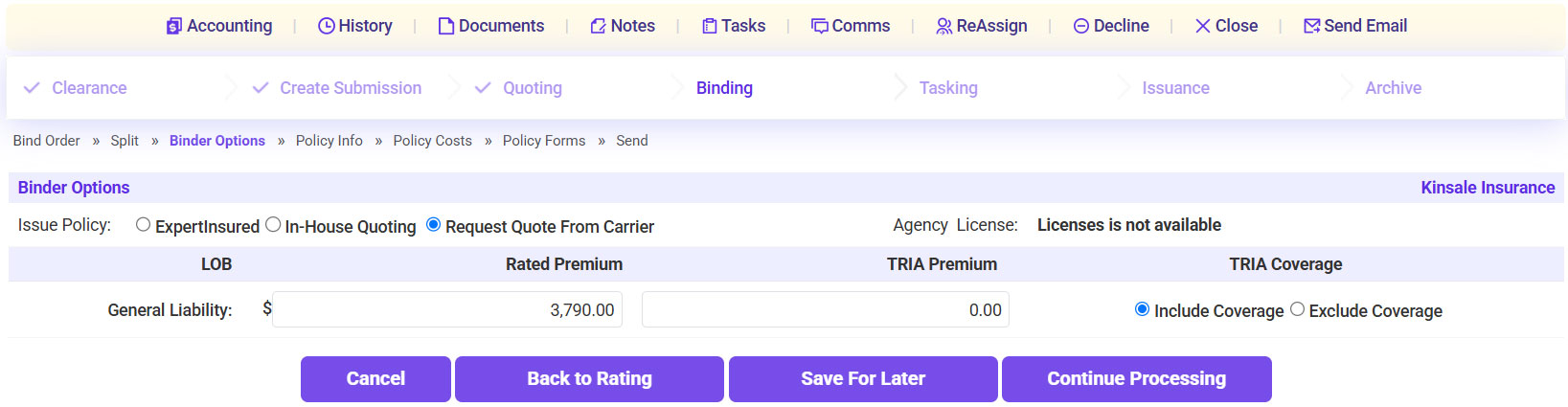
- Confirm the Premium >> Click Continue Processing.
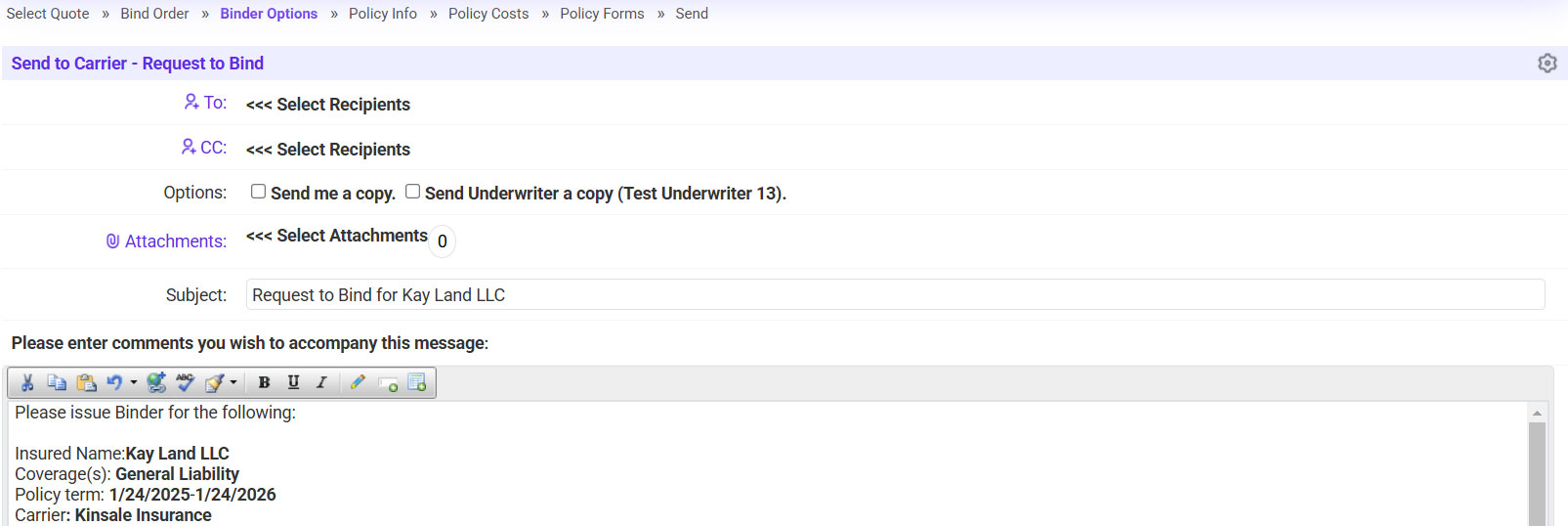
- Send the request to bind to the carrier.
- Click on the ‘To’ link >> Select the carrier’s applicable email address.
- Click Continue.