Audits
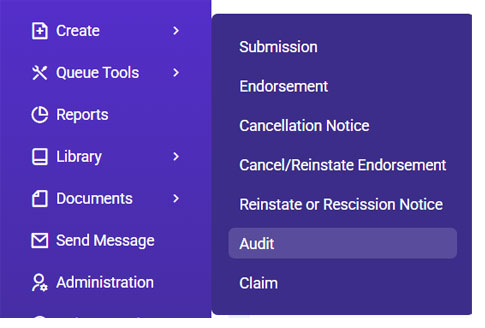
- Go to Expert Insured and log in >> From the Home page, go to Create >> Select Audit.
- Locate the policy.
- Enter the policy number or insured’s name >> Click Search.
- Select the applicable result >> Click Continue.
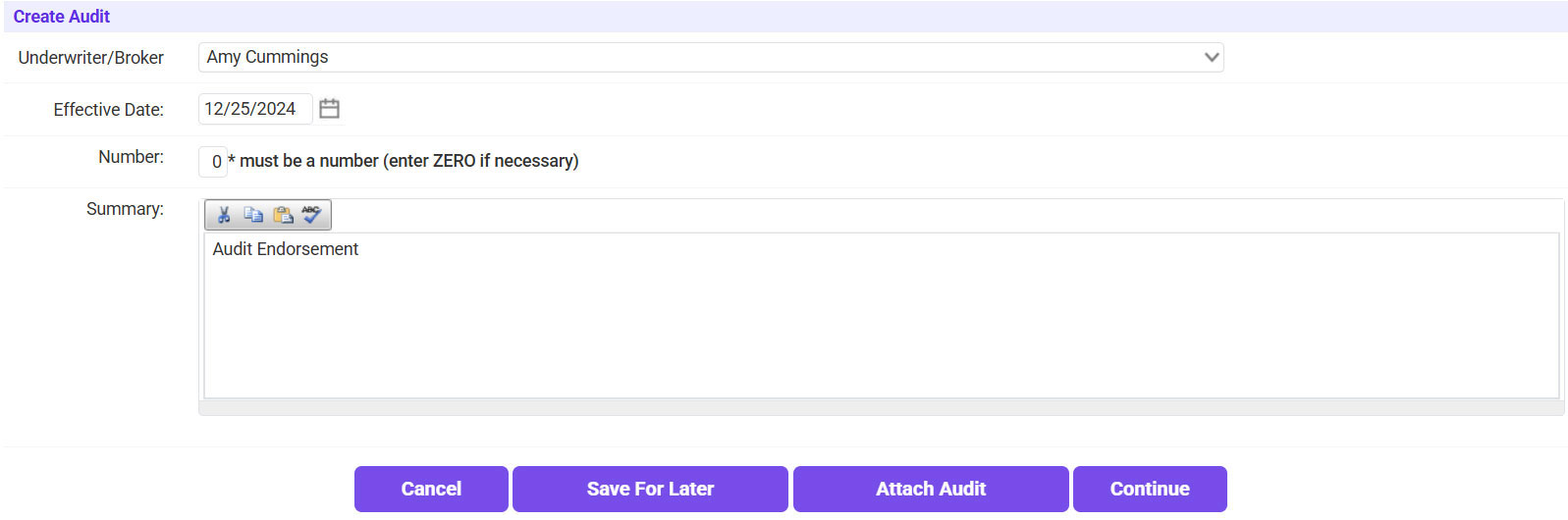
- Enter “Audit Endorsement” into the Summary field >> Click Continue.
- Navigate to the LOB tab >> Update any information to match the Audit >> Click Continue.
- Enter the Audit Premium (if the audit premium is a return premium amount, be sure to enter the negative sign) >> Click Continue.
- Click Attach Audit.
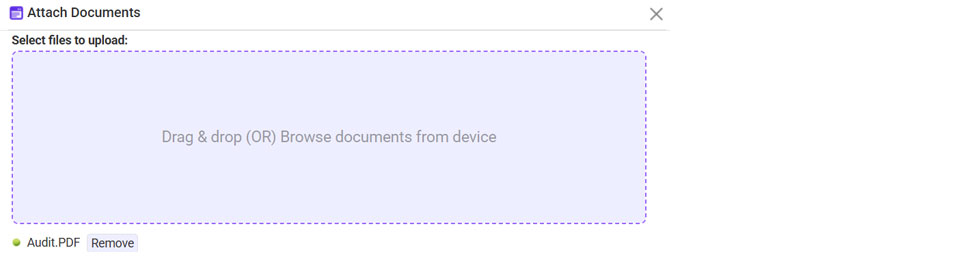
- Click on the plus sign icon.
- Click Browse >> Select the Audit Endorsement >> Once attached, click Continue.
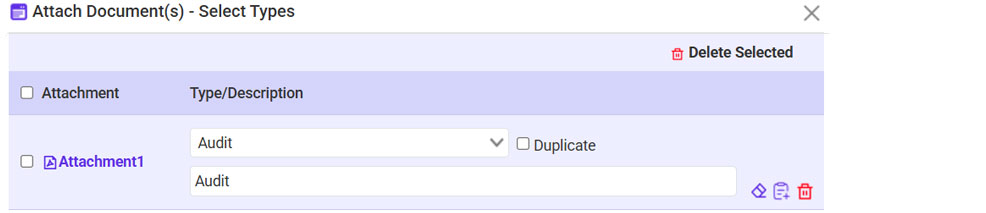
- Type: Audit >> Click Continue.
- Click Continue Processing.
- Confirm the information is correct >> Check the Policy and Accounting Information Verified box >> Click Continue.
- Email the audit to the agent.
- Click on ‘To’ and select the recipient.
- If needed, send a copy to yourself as well.
- Click Continue.