
Declining a Submission
- Search for the submission or select it from the Recent Submissions list on the Home page.
- Click Decline.
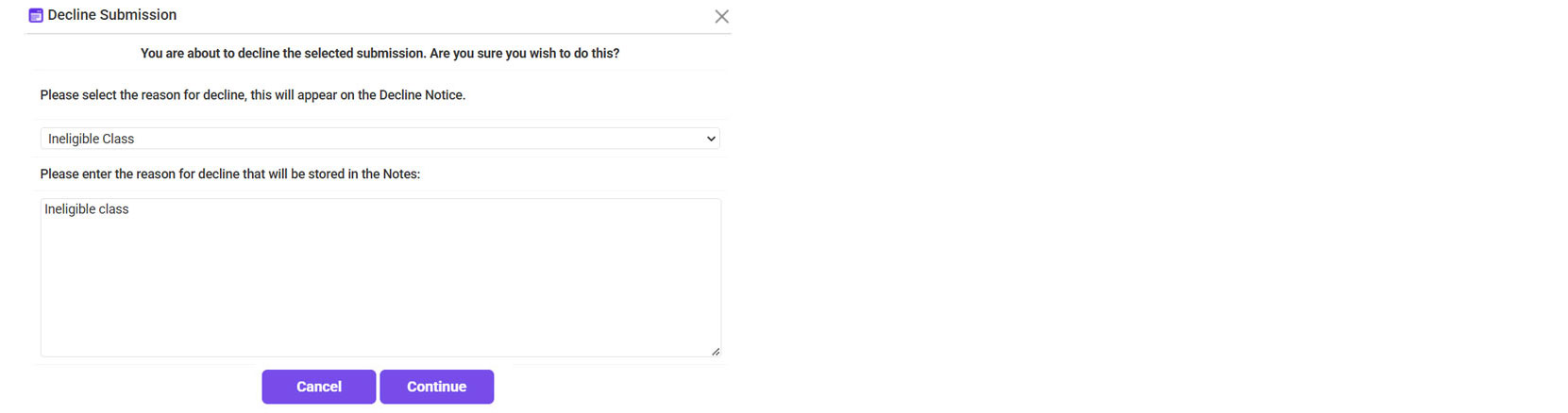
- Select the Reason for declining the submission >> Enter the reason in the Notes >> Click Continue.
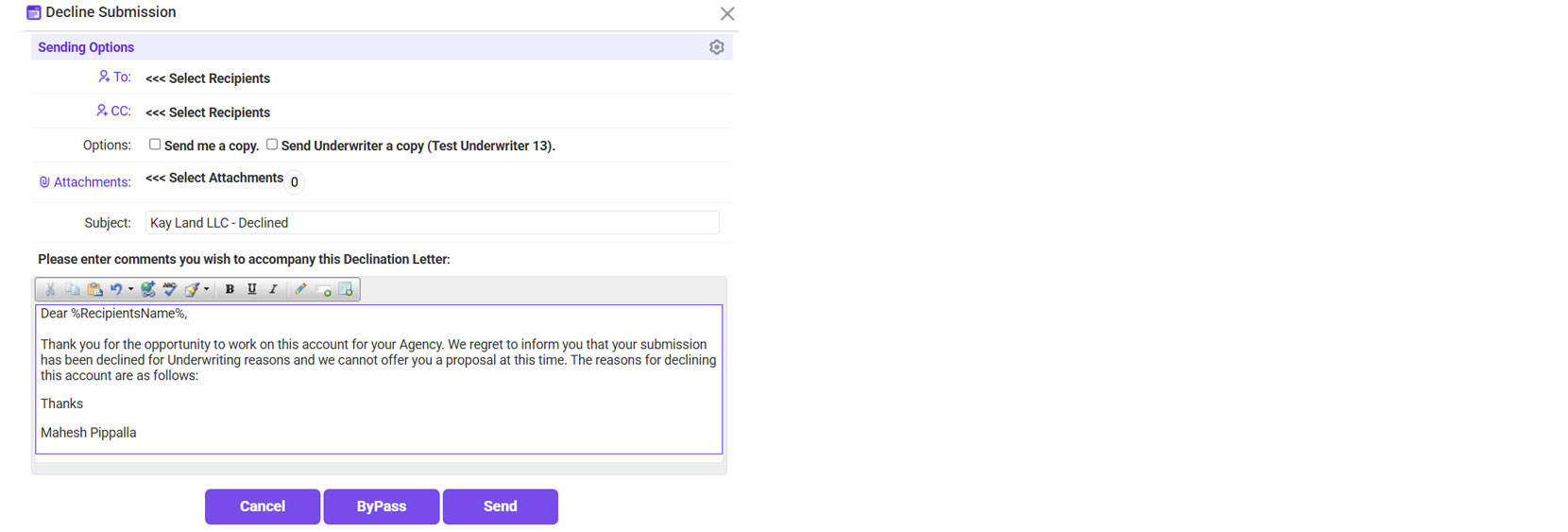
- Send the declination letter to the agent.
- Click on the ‘To’ link >> Select the email address of the agent who sent the submission.
- If needed, check the box to send a copy to yourself/the underwriter.
- Click Send.
- Click Finished.



*The Status will now show as ‘Declined’ in the system.

