
Non-Renewals
Summary: Mark the policy as Non-Renewed in Expert Insured and select the reason for non-renewal.
- Log in to Expert Insured >> Go to Find >> Select Insured.

- Enter the Insured’s Name/Policy Number >> Click Search.

- Click on the “i” Show More Info icon on the corresponding policy row.

- Click Renew.

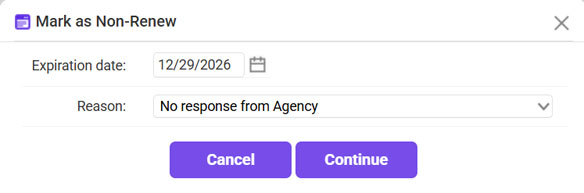
- Click Mark As Non-Renewed.

- Select the Reason for non-renewal >> Click Continue.
*If you search for the policy again, the status will show as “Non-Renewed”.

