Shortcut to Endorse Policy From Search Screen
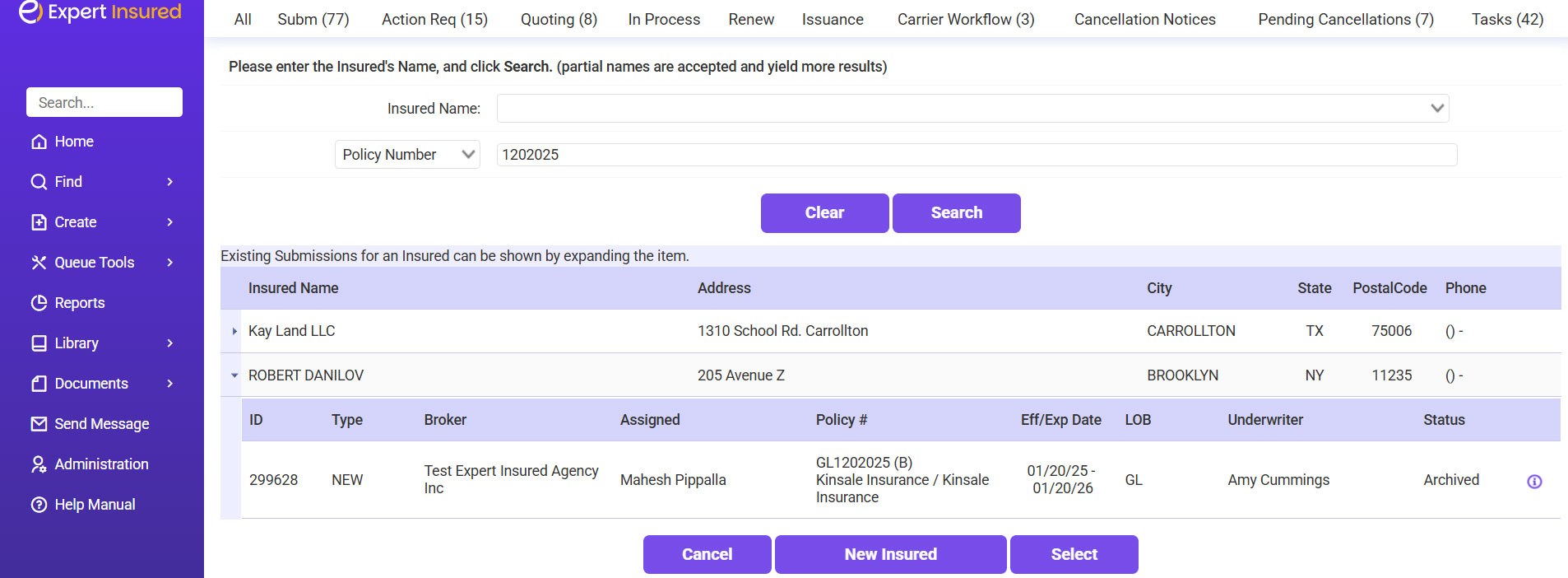
- Go to Home Page >> Search for the policy using the policy number or insured’s name >> Select the submission from the result grid >> Click on the ‘i’ [information] symbol next to the Status column.
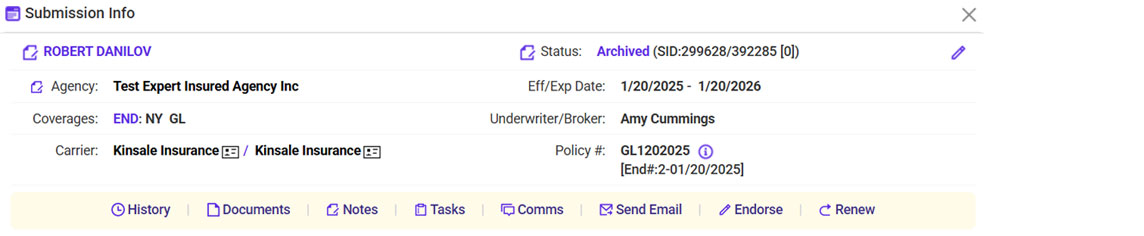
- Click Endorse
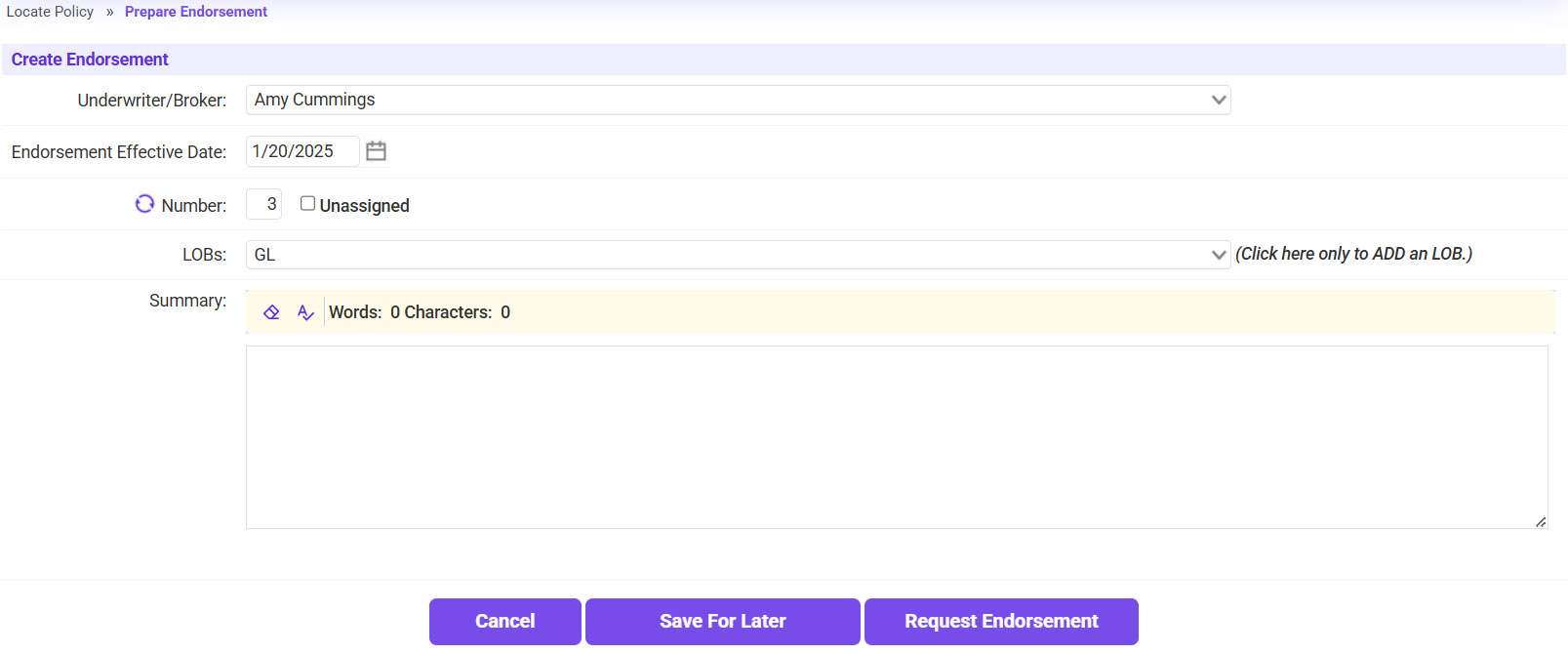
- Process the endorsement as usual (Use Request Endorsement for Wholesale Accounts / click Continue for Brokerage Accounts.